01
Start the stopwatch
One tap. No duration to set.
A COZY TIME TRACKER FOR IPHONE
A personal time tracker for your real day. Start the stopwatch, study, work or rest, then name the activity. See your daily time log become a room full of capybaras.
Free download · Kapi Plus subscription
Eligible customers: 7-day trial, then automatic renewal. See terms
iOS / iPadOS 16.4 or later. Android is on the way.

LIVE FIRST. LOG AFTER.
One tap. No duration to set.
Finish, then choose your activity.
A new Kapi, a moment to remember.
Read a few pages. Made a few notes.
Something warm for lunch.
YOUR TIME, GENTLY REFLECTED
Pick a date. Revisit your room. See your moments and the time you spent, all in one place.
Working, playing, resting. It all belongs.
YOUR JOURNAL, ON YOUR PHONE
Study, work, play, or rest. There is room for all of it.
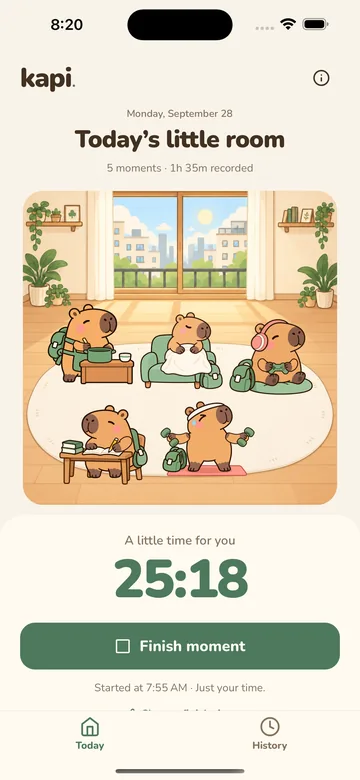
Your start time stays saved when you leave the app.
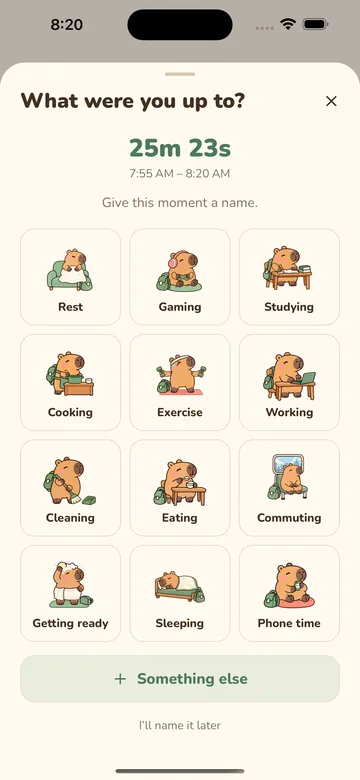
Choose an activity or your own label, then reuse it next time.
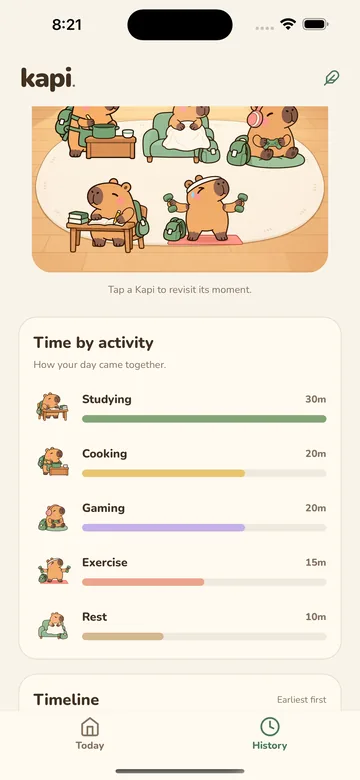
Review a daily timeline, activity totals, and your week.
Actual app screens used in our App Store previews. Activities and times are sample data.
A LITTLE PLACE ON YOUR HOME SCREEN
Add the Kapi widget to see elapsed time. On iOS 17 or later, start and finish from your Home Screen, then open Kapi to name your activity.
Set up the iPhone time tracking widgetStart with study, work and rest examples, then read your daily timeline and activity totals together.
Read the guideTrack time from your iPhone Home ScreenFrom adding the widget to saving an activity: setup, iOS requirements and help when something looks wrong.
Read the guideMade by Chan Woo Park, developer of Kapi
Kapi is built around a simple idea: make it easy to look back at the time you actually spent. Questions and ideas for improvements are welcome.
About the developer and contactBEFORE YOUR FIRST MOMENT
Start with the time you actually spend. There’s no schedule to build first.
Read the Kapi time tracking guideKapi uses a stopwatch rather than a countdown. Tap Start, spend as much time as you want, and finish when you’re done. Name the activity afterward.
Yes. Choose or enter everyday activities such as studying, working, cooking, exercising, gaming, and resting. Pick a recent activity again instead of typing it each time.
Choose a date to see its room, a chronological timeline, and time spent by activity. The weekly view helps you look back across several days.
You can edit an activity and its start and end times in the app. You can also add a record manually when you forgot to start the stopwatch.
No account is required. Your activity journal stays on your device, without account-based cloud sync. Our Privacy Policy explains how journal records and usage analytics are handled.
Privacy PolicyAvailable on iOS. Android is on the way.